
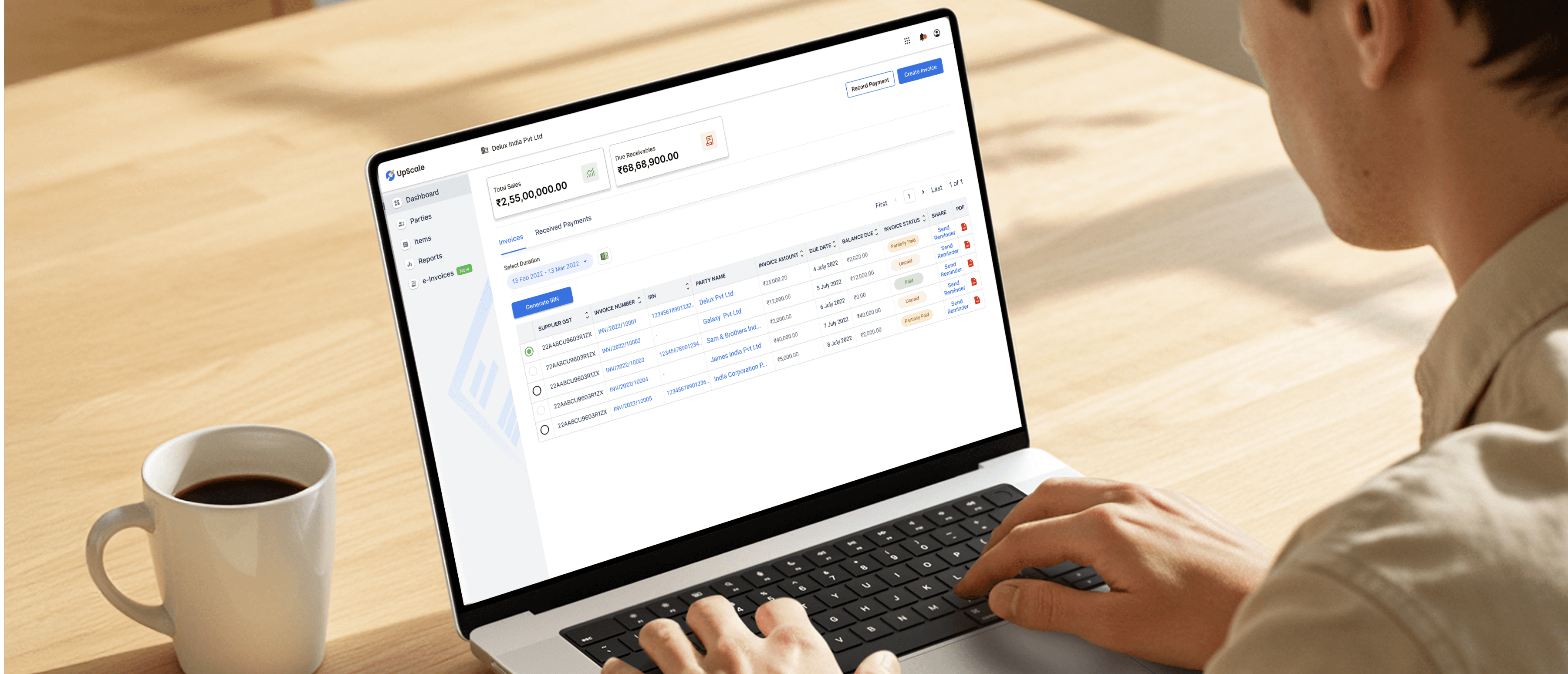
Simplifying Invoice Management on UpScale
Client & Timeline
UpScale - 2020 (4 Months)
What we delivered
UX & UI Design
Usability Enhancements
My Role
Wire-framing
Screen Flows
Visual Design
Interaction Design
Creative team
Pratik Joshi
Platform
Desktop platform
Mobile platform
B2C
Built the invoicing flow in UpScale from scratch—turned one of the trickiest parts into something simpler and smoother for small businesses.
PROBLEM
Before launching the product, we spoke to several SME owners and finance teams to understand their invoicing challenges. We found that:
Invoices were still being made manually using Word, Excel, or Tally
Follow-ups for payments were done over calls or WhatsApp, often forgotten
There was no simple way to convert invoices to e-invoices (GST compliant)
Businesses were juggling multiple tools just to manage one invoice cycle
GOAL
So from the start, our goal was clear:
Build an easy, all-in-one invoice solution that helps users create, send, remind, collect payments, and stay compliant — without needing to be a tech or finance expert.

Smart Invoice Creation
Most users weren't tech-savvy, and they didn’t want to “learn” how to use a product. We broke the invoice form into small, digestible steps — client details, item entry, tax section, etc.
We also added auto-fill using saved client and product data, so repeat tasks became one-click actions. The goal was to make invoice creation feel like filling a WhatsApp message — quick, familiar, and not scary.

Eligibility Check & Tally Sync Onboarding
Many users had years of invoices stuck in Tally. we designed a simple guided sync flow — connect your Tally once, and we pull your invoice data.

Send & Remind
Sending an invoice isn’t the end — getting paid is. So I combined invoice sharing and reminder setup into one screen.
Users could send via WhatsApp or email and set auto-reminders (e.g. “remind after 3 days”) right there — no extra steps.
This reduced the mental load and helped avoid forgotten follow-ups.

UPI Payment Built-In
We knew UPI was the most common payment method.
This was placed prominently on both the PDF and digital view — no extra actions needed by the user. Just scan and pay. Easy for both sender and receiver.

e-Invoice Conversion
GST compliance was a big deal, but no one wanted to deal with it manually.
we introduce a “Convert to e-Invoice” section where from our platform user can connect governments e-Invoice facility and convert Invoices to e-Invoice on UpScale Platform only.

App - MOBILE DESIGN
While making these updates, I made sure the layout works well on all devices.
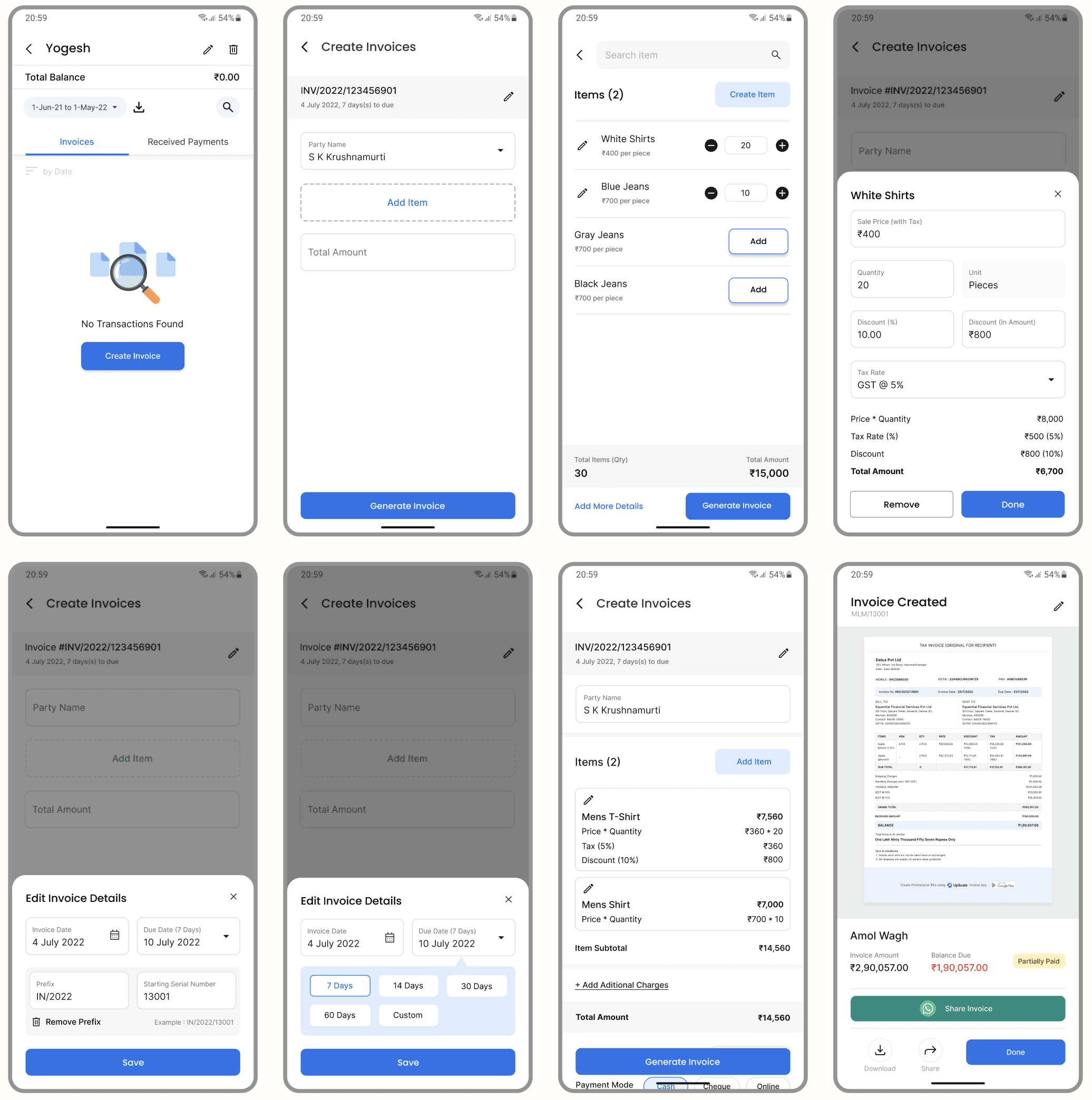
I designed the mobile version from scratch to make it fully responsive and easy to use.
App Onboarding

Invoice Creation
While working on this project I learned about:
Understanding how real businesses work
Designing for low tech but high urgency use cases
Balancing compliance with simplicity
Making sure the product works just as well on mobile as desktop